Amazon BFB-3000 Instrukcja Użytkownika Strona 17

  • Pobierz
  • Dodaj do moich podręczników
  • Drukuj
  • Strona
    / 60
  • Spis treści
  • BOOKMARKI
  • Oceniono. / 5. Na podstawie oceny klientów
Przeglądanie stron 16
2010 © Bits From Bytes. All rights reserved. Page 17
sales@bitsfrombytes.com +44 (0)1275 873792 Document No D100246
BFB 3000 Operations manual
Overview of the printing process.
BFB 3000 prints solid objects by laying down successive layer of plastic. It first draws an outline of the layer and then fills in
the middle as required, much like you would colour in a drawing. After doing one layer it moves on to the next layer by
lowering the print platform a small amount and draws the next layer on top of the one before, thereby building a solid object.
The layers are typically 0.2mm thick but can be varied to suit the application.
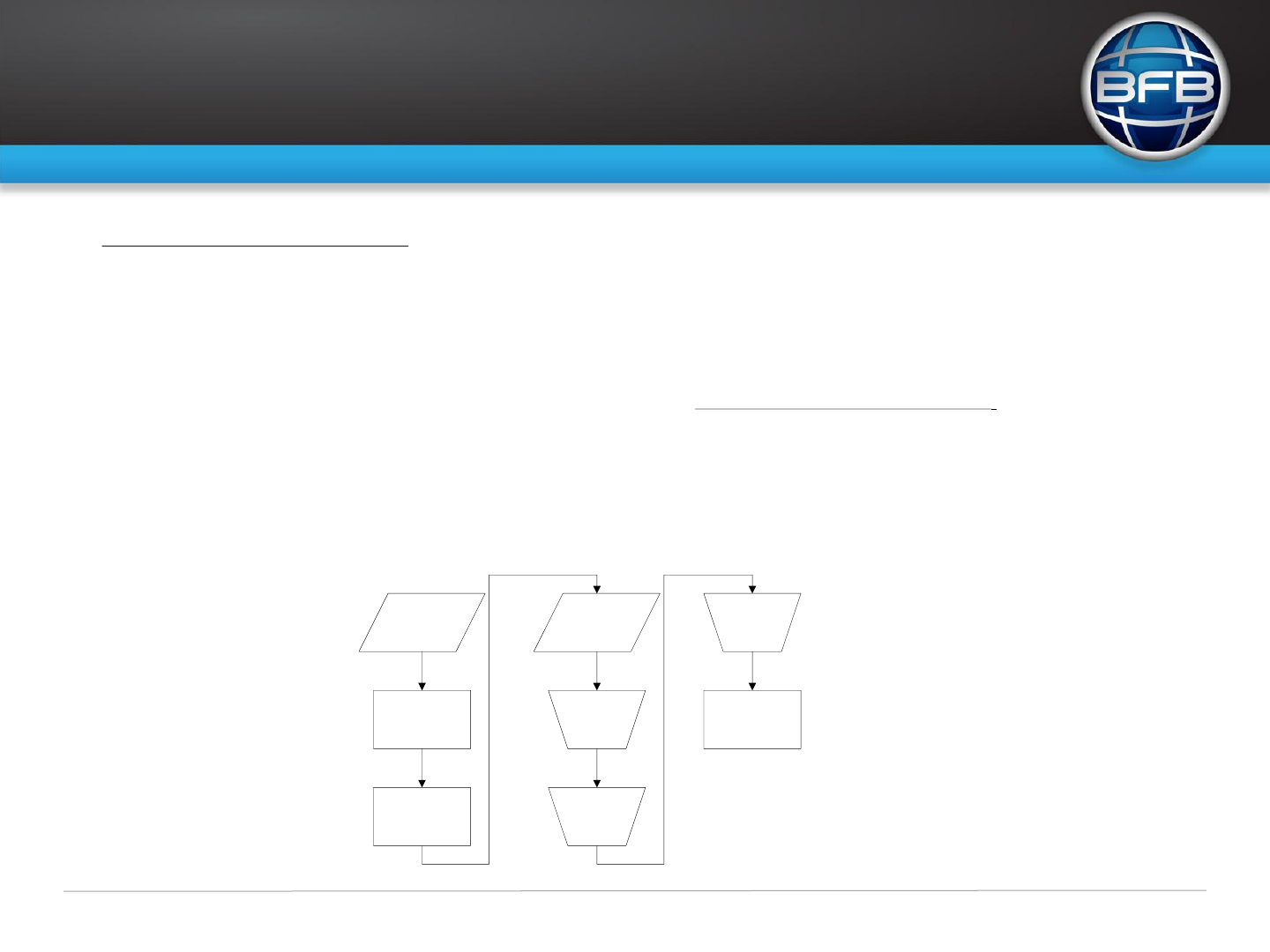
BFB 3000 gets its information of what to print from an SD card inserted in the left side of the controller. This contains a G
code file that tells the machine what to do. G code is a simple text file that has co-ordinate instruction and other commands
to control the BFB 3000. For more information on G code please see http://en.wikipedia.org/wiki/G-code. The BFB 3000
does not support all G codes and has a few special ones of its own, these are explained in detail later. The G code is
generated using either Netfabb or BFB’s customised Skeinforge conversion software, this application takes a 3D model and
generates the G code file which is then copied to the SD card. Netfabb or BFB’s customised Skeinforge reads various file
types but the commonest being STL which can be output by most 3D CAD packages and has become the standard for 3D
printing/rapid prototyping. The G code file must follow the 6.3 naming convention i.e. “Test01.bfb” the BFB 3000 will only
read *.bfb & *.gco files all other file extensions will be ignored.
3D CAD
Drawing
Save as STL file
type
Open in
Skeinforge
Output G
code file
*.BfB
Copy to
SD card
Plug SD
card in to
RapMan
Select File
Run
RapMan prints the
object
Przeglądanie stron 16
1 2 ... 12 13 14 15 16 17 18 19 20 21 22 ... 59 60

Komentarze do niniejszej Instrukcji

Brak uwag